
Learn how to start a gaming YouTube channel from scratch. Discover how to choose a niche, set up your channel, record gameplay, edit videos, create thumbnails, and grow your audience.
How to Start a Gaming YouTube Channel: A Beginner’s Guide
Starting a gaming YouTube channel is an exciting way to share your gameplay, connect with other gamers, and build an audience around something you enjoy. Whether you play battle royale games, action games, sports games, racing games, or strategy games, YouTube gives you a platform to turn your gaming passion into content.
However, starting a successful gaming channel takes more than simply recording gameplay and uploading it. You need to choose a clear content direction, set up your channel properly, create engaging videos, design attractive thumbnails, and understand what your audience wants to watch.
The good news is that you do not need an expensive gaming PC, professional camera, or advanced editing skills to begin. You can start with the equipment you already have and improve your setup as your channel grows.
In this beginner-friendly guide, you will learn how to start a gaming YouTube channel step by step, from choosing your gaming niche to publishing your first video and building a consistent content strategy.
1. Choose Your Gaming YouTube Channel Niche
Before creating your channel, decide what type of gaming content you want to publish.
Gaming is a broad category. If you upload random videos about different games without a clear direction, viewers may find it difficult to understand what your channel offers.
Choosing a niche helps you create content for a specific audience and gives your channel a recognizable identity.
Here are some popular gaming content niches to consider.
Gameplay Videos
Gameplay content focuses on recording yourself playing games. You can upload complete matches, interesting moments, challenges, victories, funny situations, and exciting gameplay highlights.
Examples:
- Battle royale gameplay.
- Multiplayer game matches.
- Survival game challenges.
- Racing game competitions.
- Funny gaming moments.
Gaming Tips and Tutorials
If you understand a game well, you can help other players improve their skills.
Examples:
- How to improve aim in a shooting game.
- Best sensitivity settings for beginners.
- How to survive longer in battle royale games.
- Beginner guides for different game modes.
- Character, weapon, and equipment guides.
For example, a Free Fire creator could make videos about improving aim in Free Fire, Free Fire sensitivity settings, and Free Fire map awareness.
Gaming Shorts
YouTube Shorts are useful for sharing short, engaging gaming moments.
You can create:
- Epic gameplay highlights.
- Funny gaming clips.
- Unexpected victories.
- Quick gaming tips.
- Interesting challenges.
- Short tutorials.
Short-form videos can help introduce your content to viewers who may not know your channel.
Gaming Reviews and Comparisons
You can create videos that help gamers decide what to play or which in-game options to choose.
Examples:
- Game reviews.
- Best games for beginners.
- Character comparisons.
- Weapon comparisons.
- Graphics and performance comparisons.
- Game updates and feature explanations.
Gaming Live Streams
Live streaming allows you to play games while interacting with viewers in real time.
You can stream:
- Competitive matches.
- Casual gameplay.
- Multiplayer sessions.
- Gaming challenges.
- Community matches.
You do not need to publish every type of content. Start with one main niche and add related formats when you understand your audience better.
Beginner tip: Choose a niche based on three things: the games you enjoy, the content you can create consistently, and the topics other gamers want to watch.
2. Choose a Gaming Channel Name and Brand Identity
Your channel name is an important part of your gaming identity. It should be memorable, easy to pronounce, and suitable for the type of content you plan to create.
Consider these tips when choosing a name:
- Keep it short and easy to remember.
- Avoid complicated spelling.
- Choose a name that fits your gaming personality.
- Check whether the name is already being used by another creator.
- Try to use a consistent name across your social platforms.
You should also create a basic visual identity for your channel.
Important branding elements include:
Profile Picture: Use a recognizable gaming logo, avatar, or creator image.
Channel Banner: Design a banner that communicates your gaming niche and channel identity.
Channel Description: Explain what viewers can expect from your videos.
Video Branding: Use a consistent thumbnail style, colors, and visual elements.
A recognizable identity makes your channel easier to remember when viewers discover your videos.
3. Create Your Gaming YouTube Channel
Once you have chosen your channel name and content direction, it is time to create your YouTube channel.
You need a Google Account to create and manage a YouTube channel.
Follow these general steps:
- Visit YouTube.
- Sign in with your Google Account.
- Open your account settings.
- Find the option to add or manage channels.
- Select the option to create a new channel.
- Enter your channel name and choose a handle.
- Add a profile picture.
- Complete the channel creation process.
You can also create a channel using a business or other name if you want a separate creator identity or need multiple people to manage the channel.
YouTube’s channel creation options and interface may change, so follow the current instructions in the official YouTube channel creation guide.
Customize Your Channel
After creating your channel, open YouTube Studio and complete your channel profile.
Focus on these elements:
- Channel Name: Use your chosen gaming brand name.
- Handle: Select a recognizable and consistent handle.
- Profile Picture: Upload your gaming logo or avatar.
- Banner: Show your channel identity and content theme.
- Description: Explain your gaming content clearly.
- Links: Add relevant website and social media links.
You can also organize your channel Home tab with a channel trailer, featured video, and sections for different types of content.
For example, you could create separate sections for Gameplay Videos, Gaming Shorts, Tutorials, and Live Streams.
See YouTube’s official guide to customizing your channel.
4. Choose the Right Gaming Equipment
You do not need a professional gaming studio to start creating videos. Your equipment should match your current needs and the games you want to record.
Here are the basic tools you may need.
Gaming Device
You can create gaming content using different devices:
- Gaming PC.
- Gaming laptop.
- PlayStation or Xbox.
- Android smartphone.
- iPhone or iPad.
Choose the device that can run your selected games smoothly while recording.
Microphone or Headset
Clear audio helps viewers understand your commentary and enjoy your videos.
You can begin with:
- A decent gaming headset microphone.
- A USB microphone.
- A compatible smartphone microphone.
Try to record in a quiet environment and reduce background noise.
Webcam
A webcam is optional. Some gaming creators prefer facecam videos, while others publish gameplay with voice commentary or no commentary.
You can add a webcam later if it suits your content style.
Recording Software
For PC gameplay, OBS Studio is a popular free and open-source option for recording and live streaming.
Other recording tools may be available depending on your computer, graphics card, or gaming platform.
For a deeper guide to capturing gameplay, see our upcoming companion article: How to Record Gameplay on PC.
Editing Software
You will need video editing software to cut unnecessary footage, arrange clips, add text, improve audio, and prepare your videos for publishing.
Start with a tool that matches your device and skill level. You do not need advanced effects for every video.
5. Plan Your First Gaming Videos
One of the biggest challenges for new gaming YouTubers is deciding what to upload.
Instead of recording random gameplay every day, create a simple content plan.
Here are some beginner-friendly gaming video ideas.
Gameplay Content Ideas
- First-time gameplay experience.
- Beginner versus advanced gameplay.
- Best moments from a gaming session.
- One-match challenges.
- Funny gaming moments.
- Difficult mission attempts.
- Gameplay with friends.
Tutorial Content Ideas
- Beginner tips for a specific game.
- Best settings for new players.
- How to use a character or weapon.
- Common mistakes beginners make.
- How to complete a difficult challenge.
- How to improve a particular gaming skill.
Gaming Shorts Ideas
- Best gameplay moments.
- Quick tips and tricks.
- Funny player reactions.
- Unexpected game situations.
- Short gaming challenges.
- Before-and-after skill improvements.
Review and Comparison Ideas
- Best games for beginners.
- New game features explained.
- Game mode comparisons.
- Character or weapon comparisons.
- Game performance tests.
A useful approach is to create several content formats around one game. For example, if your channel focuses on a battle royale game, you could publish gameplay videos, beginner tutorials, Shorts, and strategy guides.
For more inspiration, explore our related guide: Gaming Video Ideas for Beginners. This is a planned supporting topic for the gaRiyaRme Creator Hub; the link should be updated to its final article URL once published.
6. Record Your Gameplay
Good gameplay footage is the foundation of a gaming video.
Before recording, check your game settings, recording quality, audio levels, and available storage space.
Basic Gameplay Recording Tips
Check Your Game Performance: Make sure your game runs smoothly while recording. If recording causes lag, lower some graphics settings or adjust your recording settings.
Choose the Right Resolution: Select a resolution that your device can record and edit comfortably. Higher resolution is not always better if it causes performance problems.
Check Your Frame Rate: Use a recording frame rate that matches your gameplay and editing needs. Smooth and consistent footage is more important than choosing the highest possible setting.
Test Your Audio: Record a short sample and listen to it before recording a full session.
Record Useful Moments: Focus on interesting gameplay, challenges, important decisions, and moments that support your video idea.
Keep Enough Storage: Gaming recordings can use a lot of storage. Check your available space before starting a long recording session.
Record More Than You Need, but Edit Carefully
You may record a long gaming session, but your final video does not need to include everything.
Remove:
- Long waiting periods.
- Repeated failed attempts that add no value.
- Unnecessary loading screens.
- Silent sections without useful gameplay.
- Repetitive moments.
Keep the parts that make the video interesting or useful.
7. Edit Your Gaming Videos
Video editing turns raw gameplay footage into a watchable and engaging video.
As a beginner, focus on clear storytelling and pacing rather than complicated effects.
A basic gaming video editing workflow looks like this:
- Import your gameplay footage.
- Review the recording and select the best moments.
- Remove unnecessary sections.
- Arrange clips in a logical order.
- Add commentary or voice-over if needed.
- Adjust audio levels.
- Add relevant text, captions, or simple transitions.
- Watch the complete video before exporting.
Keep Your Videos Engaging
Try to give every video a clear purpose.
For example, a tutorial should explain a problem and show viewers how to solve it. A gameplay video should offer an entertaining experience. A challenge video should make the challenge clear and build interest in the result.
Avoid adding effects simply because they look impressive. Every editing choice should improve the viewing experience.
8. Create Attractive Gaming Thumbnails
Your thumbnail is one of the first things viewers see when they discover your video.
A clear and attractive thumbnail can help communicate the video’s topic and encourage people to click.
Follow these thumbnail design principles:
- Use one clear main subject.
- Make the important visual elements easy to understand.
- Use readable text only when necessary.
- Create strong contrast between the subject and background.
- Avoid overcrowding the design.
- Make sure the thumbnail accurately represents the video.
For standard YouTube videos, a 16:9 thumbnail is generally recommended. YouTube currently recommends large images, ideally 3840 × 2160 pixels, with a minimum width of 640 pixels. Check the latest YouTube thumbnail requirements.
You can design gaming thumbnails using graphic design software or AI-powered image tools.
If you want to explore AI-assisted thumbnail creation, read our guide: AI Gaming Thumbnails for YouTube.
Important: Do not use misleading thumbnails. The thumbnail should accurately represent what viewers will find in the video.
9. Write SEO-Friendly Video Titles and Descriptions
A good video needs a clear title and description so viewers can understand its subject.
Think about what your target audience might type into the YouTube search bar.
For example, instead of using a vague title such as:
“Awesome Gameplay!”
Use a more descriptive title:
“Free Fire Beginner Gameplay: 5 Tips to Survive Longer”
Your video title should:
- Clearly describe the video.
- Include the main topic naturally.
- Put important words near the beginning.
- Avoid unnecessary words.
- Match the actual content.
Write a Useful Video Description
Your description should explain what the video covers.
A simple structure is:
First Paragraph: Briefly explain the video and its main topic.
Second Paragraph: Add useful context, related information, or relevant links.
Final Section: Include your channel’s social links or other important information.
Use relevant keywords naturally. Avoid repeating the same keyword unnecessarily.
YouTube recommends writing unique descriptions and placing the most important information in the opening lines. Read its official video description tips.
10. Publish Videos Consistently
Consistency helps you develop a routine and gives your audience a reason to return.
However, consistency does not mean uploading several low-quality videos every day.
Choose a schedule that you can realistically maintain.
For example:
| Content Format | Beginner Schedule |
|---|---|
| Main Gaming Video | 1 per week |
| Gaming Shorts | 2–3 per week |
| Live Stream | Optional, when ready |
This is only a sample schedule, not a universal rule. Your ideal publishing frequency depends on your available time, production process, and audience response.
Build a Simple Content Calendar
Plan your upcoming videos before recording.
A basic calendar can include:
- Video topic.
- Content format.
- Recording date.
- Editing date.
- Thumbnail preparation.
- Publishing date.
Planning ahead helps you avoid running out of ideas and makes it easier to maintain a regular workflow.
11. Use YouTube Shorts to Reach More Viewers
Shorts can be a useful part of a gaming channel’s content strategy.
Instead of creating every Short from scratch, you can select interesting moments from your longer gaming videos and turn them into separate short-form content.
For example:
- A surprising victory can become a Short.
- A useful gameplay trick can become a quick tutorial.
- A funny moment can become an entertaining clip.
- A long tutorial can provide several short tips.
Make sure each Short has a clear purpose and works as a standalone video.
Do not simply cut a random section from a long video. Select moments that viewers can understand without needing to watch the original recording.
12. Build a Gaming Community
A successful gaming channel is not only about uploading videos. It is also about building relationships with viewers.
Encourage viewers to participate naturally.
You can:
- Ask viewers relevant questions.
- Reply to useful comments.
- Invite suggestions for future videos.
- Create gameplay challenges for your audience.
- Collaborate with other gaming creators.
- Use Community features when available to your channel.
For example, after uploading a tutorial, you could ask:
“Which gaming skill would you like us to explain next?”
This gives viewers an opportunity to participate and may help you discover future video topics.
Always communicate respectfully and follow YouTube’s Community Guidelines.
13. Understand YouTube Analytics
Do not judge your channel’s progress only by subscriber count or total views.
YouTube Analytics helps you understand how viewers discover and interact with your content.
You can access it through YouTube Studio.
Pay attention to these important metrics:
Impressions
Impressions show how often YouTube displayed your video thumbnail in eligible places.
Click-Through Rate (CTR)
CTR shows how frequently viewers watched a video after seeing an eligible thumbnail impression.
If your video receives impressions but has a low CTR, review whether the title and thumbnail clearly communicate its value.
Views
Views help you understand how many times people watched your content under YouTube’s view-counting rules.
Watch Time
Watch time measures how much time viewers spend watching your videos.
Audience Retention
Audience retention helps you understand how well your video keeps viewers watching.
If viewers leave early, review the introduction, pacing, and whether the video delivers what its title promises.
Traffic Sources
Traffic sources show where viewers found your videos, such as YouTube Search, Suggested Videos, Browse features, or external sources.
Use these insights to improve future content rather than making decisions based on one video’s performance.
YouTube provides an overview of these reports in its official YouTube Analytics guide.
14. Avoid Common Mistakes When Starting a Gaming Channel
Many beginners make avoidable mistakes that slow down their progress.
Here are some problems to watch out for.
Uploading Random Content: If your channel covers unrelated games and topics without a clear audience, it may be harder to build a recognizable identity.
Copying Other Creators: Learn from successful creators, but develop your own style, ideas, and presentation.
Ignoring Audio Quality: Viewers may tolerate simple visuals, but unclear or distracting audio can make a video difficult to watch.
Using Misleading Thumbnails: Your title and thumbnail should match the actual video.
Uploading Without Editing: Long, repetitive gameplay recordings may not provide enough value to viewers.
Expecting Instant Growth: Building an audience takes time. Focus on improving your videos instead of expecting immediate results.
Ignoring Copyright: Use game footage, music, sound effects, and other creative assets responsibly. Check the relevant permissions and licensing terms. Do not assume that every song or clip available online is free to use.
Buying Subscribers or Views: Artificial engagement does not build a genuine audience. Focus on attracting viewers who are actually interested in your content.
15. Can You Make Money from a Gaming YouTube Channel?
Yes. Gaming creators can earn money through several methods, but income is not guaranteed.
Potential revenue sources include:
- YouTube Partner Program monetization.
- Advertising revenue from eligible content.
- Channel memberships, where available.
- Super Chat and other eligible fan-funding features.
- Sponsorships and brand partnerships.
- Affiliate marketing.
- Selling digital products or creator-related services.
YouTube monetization depends on eligibility requirements, policies, country availability, and the features available to each channel.
Do not start a channel expecting immediate income. First, focus on creating original, useful, and engaging content and building a genuine audience.
For the latest requirements, visit the official YouTube Partner Program information.
16. Your First 30-Day Gaming YouTube Channel Plan
A simple 30-day plan can help you move from planning to publishing.
| Period | What to Do |
|---|---|
| Days 1–3 | Choose your gaming niche, channel name, and content direction |
| Days 4–7 | Create your channel, profile picture, banner, and description |
| Days 8–12 | Prepare video ideas and test your recording setup |
| Days 13–17 | Record and edit your first gaming videos |
| Days 18–21 | Design thumbnails, titles, and descriptions |
| Days 22–25 | Publish your first videos and Shorts |
| Days 26–30 | Review performance, improve your workflow, and plan the next videos |
You do not need to follow this schedule perfectly. Adjust it to your time, equipment, and experience.
The most important goal is to publish your first videos, learn from the process, and keep improving.
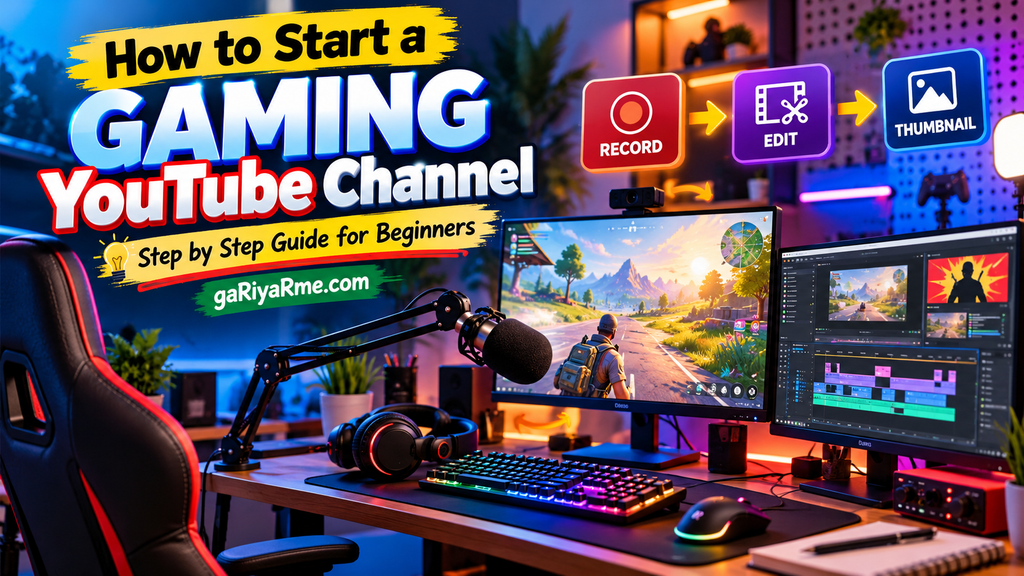
Starting a gaming YouTube channel does not require a perfect setup or professional experience. What matters most is having a clear content direction, understanding your audience, and creating videos that offer entertainment or value.
Begin with the equipment you already have. Choose a gaming niche you enjoy, plan your first few videos, and learn the basics of recording, editing, and thumbnail design.
As your channel develops, use YouTube Analytics to understand what works, experiment with different formats, and improve your content quality.
Remember, every successful gaming creator started somewhere. Your first video does not need to be perfect. It simply needs to be the beginning of your journey.
Start creating, keep learning, and build your gaming identity one video at a time.
Frequently Asked Questions (FAQ)
1. How do I start a gaming YouTube channel as a beginner?
Choose a gaming niche, create a YouTube channel with a Google Account, customize your channel profile, prepare a recording setup, and publish your first gaming videos. Start with simple content and improve your recording, editing, and presentation skills over time.
2. Do I need a gaming PC to start a gaming YouTube channel?
No. You can create gaming videos using a gaming PC, laptop, console, or smartphone. Choose a device that can run your selected game and record gameplay reliably.
3. Can I start a gaming YouTube channel without showing my face?
Yes. Many gaming creators publish gameplay videos without showing their faces. You can use voice commentary, captions, gameplay highlights, or other creative presentation styles.
4. What type of gaming videos should beginners upload?
Beginners can start with gameplay videos, tutorials, gaming tips, challenges, funny moments, reviews, and Shorts. Choose formats that match your gaming skills and the interests of your target audience.
5. How often should I upload gaming videos?
There is no single upload schedule that works for every creator. Start with a manageable schedule, such as one main video per week and a few Shorts, then adjust based on your production capacity and audience response.
6. Is YouTube Shorts useful for gaming channels?
Yes. Shorts can help gaming creators share highlights, quick tips, funny moments, and short tutorials. They can introduce your content to viewers who may not have discovered your main videos.
7. What software do gaming YouTubers use to record gameplay?
PC creators commonly use tools such as OBS Studio for recording and streaming. Other options depend on the gaming device, operating system, and recording requirements.
8. How can I grow a gaming YouTube channel?
Choose a clear niche, publish useful or entertaining videos consistently, create accurate titles and thumbnails, improve audience retention, interact with viewers, and study your YouTube Analytics data.
9. Can a gaming YouTube channel earn money?
Yes. Eligible creators may earn through YouTube monetization features, sponsorships, affiliate marketing, and other creator-related revenue sources. Each method has its own requirements and conditions.
10. How long does it take to grow a gaming YouTube channel?
There is no fixed timeline. Growth depends on content quality, audience interest, competition, consistency, discoverability, and many other factors. Focus on improving each video rather than expecting a guaranteed result within a specific period.
Leave a Reply