Explore gaming creator guides, YouTube tips, video ideas, recording and editing tutorials, streaming resources, AI tools, and gear recommendations.
Gaming Content Creator Guides, Tools & Resources
Gaming is more than playing games. It is also about creating videos, sharing gameplay, entertaining audiences, building a community, and developing your own identity as a gaming content creator.
Whether you are starting your first gaming YouTube channel, recording gameplay, editing gaming videos, creating Shorts, or building a professional streaming setup, having the right knowledge and tools can make your journey easier.
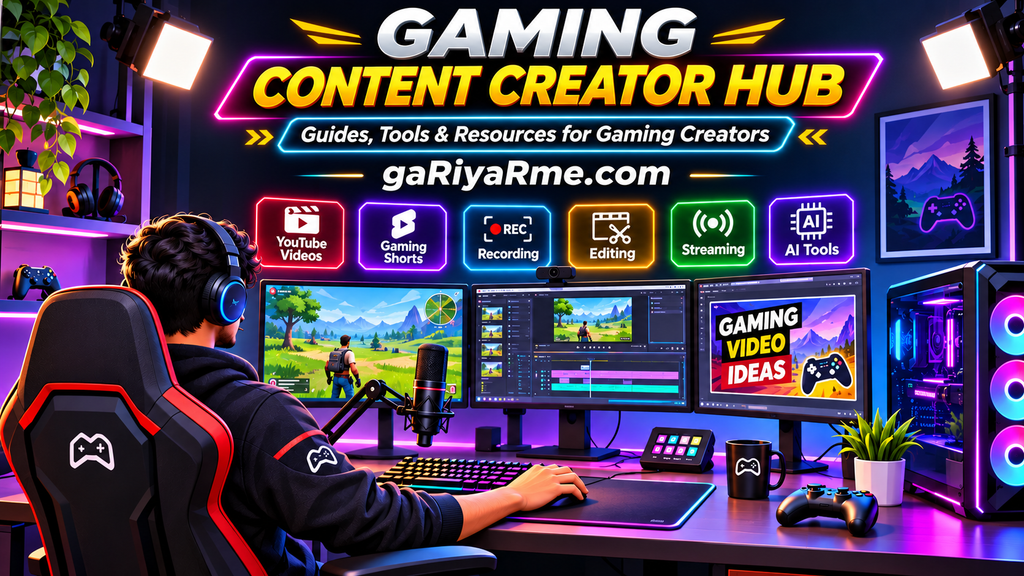
Welcome to the gaRiyaRme Gaming Content Creator Hub — your resource center for gaming content creation.
Here you will find practical guides, tutorials, content ideas, software recommendations, AI tools, equipment guides, and useful resources to help you create better gaming content.
Whether you are a beginner or an experienced creator, explore the categories below and discover resources to improve your gaming content creation journey.
Explore Gaming Creator Resources
1. Gaming YouTube
Learn how to start, manage, and grow a gaming YouTube channel. Explore channel setup, video publishing, YouTube SEO, audience growth, and content strategies.
Whether you are creating your first gaming video or trying to improve an existing channel, these guides will help you understand the YouTube content creation process.
Explore topics:
- How to Start a Gaming YouTube Channel
- Gaming channel setup and customization.
- YouTube SEO for gaming videos.
- Gaming video titles and descriptions.
- Gaming channel growth strategies.
- Understanding YouTube Analytics.
- Building a gaming audience.
2. Gaming Content Ideas
Finding interesting video topics is one of the biggest challenges for gaming creators.
Explore gaming video ideas, gameplay concepts, challenges, tutorials, creative formats, and content planning strategies to keep your channel active.
Explore topics:
- Gaming Video Ideas for for Your Gaming YouTube Channel
- Gameplay video concepts.
- Gaming challenges.
- Funny gaming moments.
- Gaming Shorts ideas.
- Gaming video series.
- Gaming content calendars.
- Creative gameplay formats.
3. Recording & Streaming
Learn how to record gameplay and set up live streams for your gaming content.
Discover recording software, OBS Studio, audio settings, screen recording, streaming configurations, and practical recording techniques.
Explore topics:
- How to Record Gameplay on PC
- OBS Studio setup and configuration.
- Gameplay recording settings.
- Screen and audio recording.
- Live streaming setup.
- Streaming software.
- Recording quality and performance.
- Common recording problems.
4. Video Editing
Turn raw gameplay recordings into engaging gaming videos.
Learn about video editing software, editing techniques, transitions, effects, captions, highlights, montages, and efficient editing workflows.
Explore topics:
- Best video editing software for gaming.
- Gaming video editing for beginners.
- How to edit gameplay footage.
- Gaming highlights and montages.
- Video transitions and effects.
- Gaming video captions.
- Audio synchronization.
- Editing workflow and productivity.
5. Gaming Thumbnails & Visuals
A good thumbnail helps viewers understand what your video offers and makes your content visually recognizable.
Explore thumbnail design, gaming graphics, visual branding, image editing, and AI-assisted creative workflows.
Explore topics:
- Gaming thumbnail design.
- YouTube thumbnail ideas.
- AI Gaming Thumbnails for YouTube
- Gaming channel branding.
- Gaming banners and profile pictures.
- Gaming graphics and overlays.
- Thumbnail design tools.
- Visual content creation.
6. Gaming Audio
Clear audio is an important part of gaming videos and live streams.
Learn how to choose microphones, use gaming headsets, record voice commentary, reduce background noise, and improve audio quality.
Explore topics:
- Best microphones for gaming YouTubers.
- Gaming headsets and audio equipment.
- Voice recording for gaming videos.
- Gaming commentary audio.
- Noise reduction.
- Microphone settings.
- Audio editing.
- Live streaming audio setup.
7. Gaming Creator Setup
Build a comfortable and effective gaming content creation workspace.
Discover the equipment, accessories, and setup ideas that can help you record, edit, and stream gaming content.
Explore topics:
- Gaming creator desk setup.
- Gaming PC and laptop setup.
- Best monitors for gaming creators.
- Webcam and lighting setup.
- Creator workspace organization.
- Gaming accessories.
- Budget gaming creator setup.
- Multi-monitor setup.
8. Creator Gear & Buying Guides
Choosing the right equipment can improve your content creation workflow.
Explore buying guides, product comparisons, reviews, and recommendations for gaming creators.
Explore topics:
- Best microphones for gaming creators.
- Best gaming headsets for content creation.
- Best webcams for streaming.
- Best capture cards.
- Best gaming monitors.
- Gaming keyboards and mice.
- Creator accessories.
- Budget-friendly creator equipment.
Our buying guides aim to help creators understand important features, compare suitable options, and make informed purchasing decisions.
9. Gaming Shorts
Short-form gaming videos provide another way to share gameplay, tips, highlights, and entertaining moments.
Learn how to create, edit, and publish gaming Shorts for YouTube and other short-form video platforms.
Explore topics:
- Gaming Shorts ideas.
- How to create gaming Shorts.
- Editing gameplay for Shorts.
- Turning long videos into Shorts.
- Gaming highlights.
- Short gaming tutorials.
- Captions and subtitles.
- Gaming Shorts content strategy.
10. Gaming Commentary & Video Scripts
Good commentary can make gameplay videos more engaging and help viewers understand your personality and gaming experience.
Explore voice-over techniques, commentary ideas, storytelling, narration, and gaming video scripts.
Explore topics:
- Gaming commentary for beginners.
- How to record gaming voiceovers.
- Gaming video script writing.
- Gameplay storytelling.
- Gaming video introductions.
- Commentary ideas.
- Voice presentation.
- Narration techniques.
11. AI for Gaming Creators
Artificial intelligence can support different stages of gaming content creation, from brainstorming and scripting to thumbnails, voiceovers, and video editing.
Discover useful AI tools, creative workflows, and practical AI applications for gaming YouTubers and streamers.
Explore topics:
- Best AI tools for gaming creators.
- AI gaming thumbnail generators.
- AI script generators.
- AI voiceover tools.
- AI tools for gaming Shorts.
- AI video editing tools.
- AI captions and subtitles.
- AI-assisted content planning.
12. Gaming Creator Resources & Tools
Discover useful websites, software, templates, and online resources that can make gaming content creation easier.
This category focuses on practical resources that help creators plan, produce, manage, and improve their content.
Explore topics:
- Gaming creator tools.
- Content planning templates.
- Gaming video checklists.
- Thumbnail resources.
- Recording and editing tools.
- YouTube creator resources.
- Gaming content productivity tools.
- Useful websites for gaming creators.
Start Your Gaming Content Creation Journey
Not sure where to begin? Follow this simple learning path.
Step 1: Start Your Gaming YouTube Channel
Learn how to choose a niche, create your channel, customize your profile, and prepare your first video.
Start here: How to Start a Gaming YouTube Channel.
Step 2: Find Your Video Ideas
Explore different gaming video formats and choose topics that match your interests and audience.
Continue here: Gaming Video Ideas for Beginners.
Step 3: Learn Gameplay Recording
Understand how to record gameplay, configure recording software, and capture good-quality footage.
Step 4: Improve Your Editing Skills
Learn how to edit gameplay recordings, create highlights, add commentary, and prepare videos for publishing.
Step 5: Develop Your Creator Setup
Explore microphones, headsets, webcams, lighting, monitors, and other useful creator equipment.
Step 6: Explore AI and Creator Tools
Discover tools that can support your creative workflow and help you work more efficiently.
Who Is This Gaming Creator Hub For?
The gaRiyaRme Gaming Content Creator Hub is designed for different types of gaming content creators.
Gaming YouTubers: Learn how to create videos, improve your channel, and reach more viewers.
Gaming Streamers: Discover streaming software, audio equipment, and live streaming setup guides.
Gaming Video Creators: Explore recording, editing, and content production techniques.
Gaming Shorts Creators: Find short-form video ideas and learn how to create engaging gaming clips.
Gaming Editors: Discover editing software, creative techniques, and efficient workflows.
Beginner Creators: Start learning the basics of gaming content creation without needing an expensive professional setup.
Frequently Asked Questions
1. What is a Gaming Content Creator Hub?
A Gaming Content Creator Hub is a central resource page containing guides, tutorials, tools, and recommendations for people who create gaming videos, livestreams, Shorts, and other gaming-related content.
2. How do I start a gaming YouTube channel?
Choose a gaming niche, create a YouTube channel, customize your profile, prepare your recording setup, and publish your first gaming videos. You can follow our beginner’s guide to starting a gaming YouTube channel.
3. What type of gaming videos can I create?
You can create gameplay videos, tutorials, challenges, funny moments, reviews, comparisons, Shorts, live streams, and gaming commentary videos.
4. What equipment do I need to become a gaming content creator?
Basic equipment may include a gaming PC, laptop, console, or smartphone, along with a microphone or headset and suitable recording software. A webcam, lighting, and additional accessories are optional.
5. Which software is useful for gaming content creation?
Different tools serve different purposes. OBS Studio is a popular option for gameplay recording and live streaming. Video editors, graphic design applications, and AI tools can support other stages of production.
6. Can I create gaming videos without showing my face?
Yes. You can create gameplay recordings, tutorials, walkthroughs, gaming highlights, and Shorts without showing your face. Voice commentary is also optional.
7. How can AI help gaming content creators?
AI tools can assist with video ideas, script outlines, thumbnail concepts, voiceovers, captions, and editing workflows. Creators should review AI-generated content and add their own original contribution.
8. Where can I find gaming video ideas?
You can explore our Gaming Video Ideas for Beginners guide for gameplay, tutorials, challenges, Shorts, reviews, and other content ideas.
9. Is this hub suitable for beginner gaming creators?
Yes. The hub includes beginner-friendly resources as well as topics for creators who want to improve their recording, editing, streaming, and content production workflows.
10. Can gaming content creators earn money?
Eligible gaming creators may earn through YouTube monetization, sponsorships, affiliate marketing, memberships, and other opportunities. Income is not guaranteed and depends on eligibility, audience, content, and applicable platform policies.
Explore. Create. Improve.
Building a gaming content channel is a journey of learning, experimenting, and improving.
You do not need to master everything at once. Start with one video, learn the basics, improve your skills, and gradually build a content creation workflow that works for you.
Explore the guides and resources on gaRiyaRme and take the next step in your gaming content creation journey.
gaRiyaRme — It’s a Gamer’s World!