
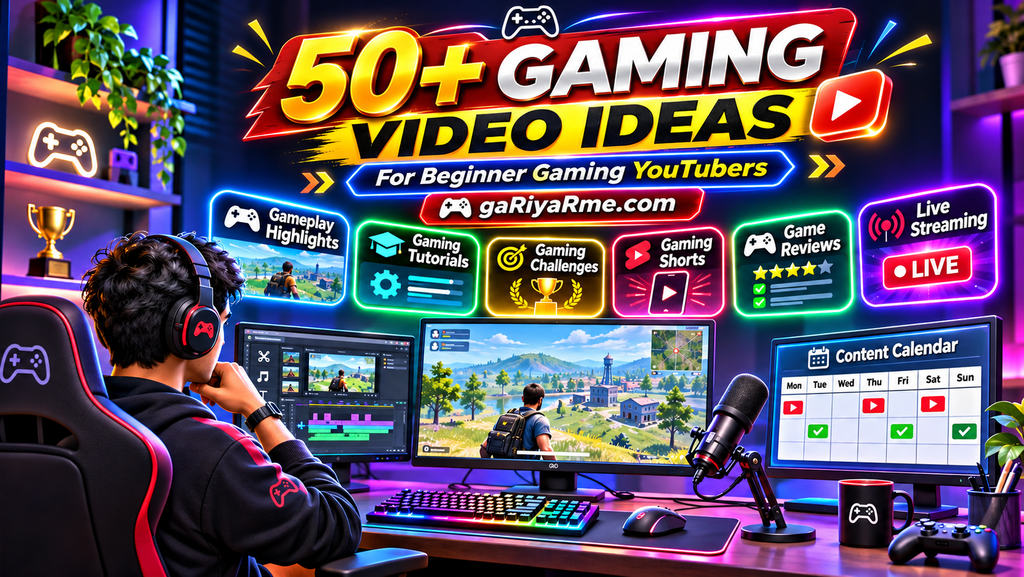
Looking for gaming video ideas? Discover 50+ beginner-friendly gaming YouTube video ideas, including gameplay, tutorials, challenges, Shorts, reviews, and more.
Gaming Video Ideas for for Your Gaming YouTube Channel
Starting a gaming YouTube channel is exciting, but one challenge almost every new gaming creator faces is deciding what videos to make.
You may enjoy playing games, but turning your gameplay into interesting YouTube content requires planning and creativity. Uploading random gameplay videos is not always enough to attract viewers. You need ideas that entertain your audience, solve gaming problems, or give people a reason to watch until the end.
The good news is that you do not need to be a professional gamer to create engaging gaming videos. Beginners can start with simple gameplay recordings, tutorials, challenges, funny moments, gaming Shorts, and game reviews.
Whether you create content about battle royale games, shooting games, multiplayer games, survival games, racing games, or mobile games, there are plenty of opportunities to develop your own content style.
In this guide, you will discover more than 50 gaming video ideas for beginners, along with practical tips for choosing topics, planning videos, and building a consistent gaming YouTube content strategy.
Why Choosing the Right Gaming Video Ideas Matters
Your video ideas influence the type of audience your channel attracts.
For example, a viewer searching for Free Fire sensitivity settings wants practical help, while someone watching funny gaming moments is looking for entertainment.
Understanding these different interests helps you create content that matches your audience’s expectations.
Good gaming video ideas can help you:
- Attract viewers interested in your chosen games.
- Create content for different types of gamers.
- Develop a recognizable channel identity.
- Turn one gameplay session into multiple videos.
- Build a consistent upload schedule.
- Encourage viewers to return for more content.
If you are still setting up your channel, first read our guide: How to Start a Gaming YouTube Channel. It explains how to choose a niche, create your channel, record gameplay, edit videos, and begin publishing.
1. Gameplay Video Ideas
Gameplay videos are among the most straightforward types of content for gaming creators.
You simply record yourself playing a game and turn interesting moments into videos. However, instead of uploading every match without a clear purpose, give each video a theme or objective.
Here are some gameplay ideas for beginners.
1. Beginner Gameplay Series
Start a series documenting your experience as a new player.
You can show your progress, mistakes, learning process, and improvement over time.
2. First-Time Playing a Game
Record your first experience with a new game. Share your initial reactions, discoveries, and thoughts about its gameplay.
3. Best Gameplay Moments
Collect the most exciting moments from your gaming sessions and combine them into a highlight video.
4. Solo Gameplay Challenge
Play a game without teammates or external assistance, where the game supports that style of play.
5. Playing with Friends
Record multiplayer sessions with friends. Funny conversations, unexpected situations, and teamwork can make these videos entertaining.
6. One-Match Challenge
Create a video around a single match with a specific objective, such as achieving a particular score or completing a challenge.
7. No-Commentary Gameplay
Upload gameplay without voice commentary. Focus on interesting matches, smooth gameplay, and clear video presentation.
8. Long Gameplay Session Highlights
Record a longer session and edit it into a shorter video containing only the most interesting moments.
Beginner tip: Give every gameplay video a clear concept. Instead of simply writing “My Gameplay,” explain what makes that particular match interesting.
2. Gaming Tips and Tutorial Video Ideas
Tutorials are useful because they help viewers solve specific gaming problems.
If you understand a game well, you can share practical knowledge with beginners and other players.
Here are some tutorial ideas.
9. Beginner’s Guide to a Game
Explain the basic gameplay, controls, objectives, and important features of a game.
10. How to Improve Aim
Show viewers how to practise aiming, control movement, and improve accuracy in shooting games.
For example, you can create a tutorial based on our existing article: How to Improve Aim in Free Fire.
11. Best Settings for Beginners
Explain useful settings that new players should understand before entering competitive matches.
You can explore topics such as:
- Sensitivity settings.
- Control settings.
- Graphics settings.
- Audio settings.
- Performance settings.
For Free Fire players, see our guide: Free Fire Sensitivity Settings for Beginners.
12. Best Control Layout
Show how to arrange on-screen controls for comfortable gameplay.
A related example is our Free Fire HUD Layout for Beginners.
13. Common Beginner Mistakes
Explain mistakes that new players frequently make and demonstrate how to avoid them.
14. How to Survive Longer
Share strategies for movement, positioning, resource management, and decision-making in survival or battle royale games.
See our Free Fire Guide to Surviving Longer.
15. Map Awareness Tutorial
Explain how to understand maps, identify important locations, and make better movement decisions.
You can use our Free Fire Map Awareness Guide as a related resource.
16. Character or Weapon Guide
Explain the abilities, strengths, weaknesses, and suitable situations for different characters or weapons.
17. How to Complete Difficult Missions
Create step-by-step tutorials for challenging missions, objectives, or game tasks.
18. Advanced Tips for Beginners
Share simple techniques that can help new players improve their gameplay without requiring advanced skills.
Beginner tip: Choose one specific problem for each tutorial. A focused video is generally easier to plan and understand than a video trying to explain everything about a game.
3. Gaming Challenge Video Ideas
Gaming challenges add a clear objective to your videos. Viewers can follow your progress and discover whether you succeed.
You do not need expensive equipment or advanced editing to create challenge videos.
19. No-Healing Challenge
Try completing a match without using healing items, if the game’s rules allow it.
20. Only One Weapon Challenge
Play using only one selected weapon throughout the challenge.
21. Random Loadout Challenge
Use randomly selected weapons or equipment instead of choosing your usual favourites.
22. Beginner vs Experienced Player Challenge
Compare the gameplay of a beginner and a more experienced player using a fair, clearly explained challenge.
23. Limited Resources Challenge
Try completing an objective with limited equipment, resources, or available items.
24. Time-Limit Challenge
Set a time limit for completing a mission or achieving a particular objective.
25. Win Without Your Favourite Weapon
Challenge yourself to win a match without using your usual weapon or equipment.
26. Unusual Strategy Challenge
Experiment with an unconventional but legitimate strategy and show whether it works.
Important: Make sure your challenges follow the game’s rules. Avoid cheating, exploiting bugs, or encouraging unsafe gameplay behaviour.
4. Funny Gaming Video Ideas
Gaming is not only about winning. Unexpected situations, funny mistakes, and entertaining interactions can also create memorable videos.
Here are some ideas.
27. Funny Gaming Moments
Collect unexpected and humorous moments from your gaming sessions.
28. Gaming Fails Compilation
Show amusing mistakes, failed attempts, and surprising outcomes.
29. Unexpected Victory Moments
Create a highlight video featuring victories that happened in surprising or unusual ways.
30. Funny Teammate Moments
Capture entertaining interactions with teammates during multiplayer sessions.
31. Gaming Reactions
Record your reactions to surprising gameplay events, unexpected challenges, or unusual game situations.
32. Things Every Gamer Can Relate To
Create videos around familiar gaming experiences, such as losing a match at the last moment or making a common beginner mistake.
Beginner tip: Use your own gameplay recordings and genuine reactions. Original moments help your content develop a unique identity.
5. Gaming Shorts Ideas
YouTube Shorts allow creators to publish short-form gaming content alongside regular videos.
They are particularly useful for sharing quick highlights, tips, funny moments, and interesting gameplay clips.
Here are some gaming Shorts ideas.
33. One Quick Gaming Tip
Share one practical tip that viewers can understand quickly.
34. Epic Gameplay Highlight
Show one impressive gameplay moment with a clear beginning and ending.
35. Funny Gaming Clip
Turn an amusing gameplay moment into a short video.
36. Quick Weapon or Character Tip
Explain one useful feature of a weapon, character, or game item.
37. Before-and-After Gameplay
Show how your gameplay improved after practising a particular skill.
38. One-Minute Challenge
Present a quick gaming challenge with a clear objective.
39. Unexpected Gaming Moment
Share a surprising moment that viewers may not expect.
40. Quick Settings Explanation
Explain one setting and why players might want to understand it.
41. Gaming Myth or Fact
Present an interesting gaming claim and explain whether it is true, using evidence from the game.
42. Short Gameplay Tutorial
Demonstrate one small technique or useful gameplay action.
Beginner tip: A Short should be understandable on its own. Do not depend on viewers watching a longer video to understand the clip.
6. Game Review and Comparison Video Ideas
Reviews and comparisons help viewers understand different games and gaming features.
These videos can attract people who are researching a game before downloading, playing, or purchasing it.
43. Beginner-Friendly Game Review
Explain whether a particular game is suitable for new players.
44. Best Games for Beginners
Recommend games based on accessibility, gameplay style, and learning difficulty.
45. Game A vs Game B
Compare two games based on their gameplay, features, graphics, performance, or player experience.
46. Mobile Game Review
Review a mobile game and explain its controls, gameplay, features, and overall experience.
47. Graphics Comparison
Compare different graphics settings or visual quality options where appropriate.
48. Game Mode Comparison
Explain the differences between different modes within the same game.
49. Character Comparison
Compare characters based on their abilities, strengths, weaknesses, and suitable playstyles.
50. Weapon Comparison
Compare weapons using relevant factors such as damage, range, accuracy, and practical performance.
Important: Use accurate information and your own gameplay experience. Game updates may change features, balance, and performance, so verify details before publishing.
7. Gaming Live Stream Ideas
Live streaming gives you an opportunity to interact with viewers while playing.
You can begin with simple streams and gradually develop a more engaging live format.
51. Casual Gaming Live Stream
Play your favourite game while interacting with viewers.
52. Live Multiplayer Matches
Play multiplayer matches and share the experience with your audience.
53. Live Gaming Challenges
Complete a challenge during a live stream and invite viewers to follow your progress.
54. Community Gaming Session
Play with viewers when the game and your channel setup support community participation.
55. Live Tutorial Session
Demonstrate gaming techniques and answer viewers’ questions during the stream.
56. Practice and Training Stream
Show your practice sessions and explain what you are trying to improve.
You do not need to start live streaming immediately. First become comfortable recording and publishing regular videos.
8. Gaming Commentary and Storytelling Ideas
Commentary and storytelling can make ordinary gameplay more interesting.
Instead of showing only what happens on the screen, explain your decisions, experiences, and reactions.
Here are some ideas.
57. Gameplay with Voice Commentary
Explain what you are doing and why while playing.
58. Story-Based Gameplay
Create a video around a particular objective or sequence of events in a game.
59. My Gaming Journey
Share your experience of learning a game and improving your skills.
60. Explaining Gameplay Decisions
Explain why you selected a particular weapon, location, character, or strategy.
61. Gaming Tips Through Storytelling
Teach a useful gaming lesson through an actual gameplay experience.
62. Game Experience and Opinions
Discuss what you enjoyed, what you found difficult, and what you learned from playing a game.
These formats can help viewers understand your personality and develop a connection with your channel.
9. AI-Powered Gaming Content Ideas
Artificial intelligence can help gaming creators develop ideas, prepare scripts, design visuals, and improve their content workflow.
You can explore AI tools without making every part of your video dependent on automation.
Here are some AI-related content ideas.
63. AI-Generated Gaming Character Concepts
Create original gaming character concepts using AI image-generation tools.
64. AI Gaming Thumbnail Tutorials
Demonstrate how to develop thumbnail concepts and create original gaming visuals with AI.
Explore our existing guide: AI Gaming Thumbnails for YouTube.
65. AI Gaming Voiceover Experiments
Test AI voice tools and explain their strengths, limitations, and suitability for gaming videos.
66. AI Gaming Script Ideas
Demonstrate how AI can help brainstorm video topics, introductions, commentary outlines, and scripts.
67. AI Gaming Shorts Creation
Show how AI-assisted tools can support the planning and production of gaming Shorts.
When creating AI-assisted content, add your own creative direction, editing, and original value. Check the licensing and usage terms of any tools and assets you use.
10. How to Choose the Best Gaming Video Ideas
Having many ideas is useful, but you do not need to create every type of video.
The best topics are those that match your gaming interests, audience, skills, and available resources.
Consider these factors before selecting a topic.
Choose Games You Enjoy
Creating content around games you genuinely enjoy can make it easier to maintain a consistent publishing routine.
Understand Your Target Audience
Think about the viewers you want to reach.
Are they beginners looking for tutorials? Competitive players looking for advanced strategies? Or casual gamers looking for entertainment?
Your answer should influence your video topics.
Look for Specific Viewer Questions
Pay attention to common gaming problems and questions.
For example:
- How can I improve my aim?
- Which settings should beginners use?
- How can I survive longer?
- Which character is suitable for beginners?
- How do I record gameplay?
Specific questions can provide useful video topics.
Check Search Demand
Use YouTube search suggestions, YouTube Analytics, Google Trends, and relevant keyword research tools to discover what people are searching for.
Do not assume that every popular-looking idea has high search demand. Research the topic before investing time in a detailed video.
Consider Your Production Skills
Choose video formats that you can create with your current equipment and editing skills.
You can begin with simple gameplay videos and tutorials before moving into more complex productions.
Avoid Repeating the Same Topic
If you already published a video about a particular gaming problem, think about a different angle before creating another one.
For example, a general aim-improvement tutorial and a specific weapon-accuracy tutorial can serve different viewer needs if their content and search intent are clearly separated.
11. How to Turn One Gaming Session into Multiple Videos
One of the most useful strategies for new gaming creators is to create multiple pieces of content from a single recording session.
For example, imagine that you record a 30-minute battle royale gameplay session.
You may be able to create:
One Main Video: A complete edited gameplay match or challenge.
One Highlight Video: The most exciting moments from the match.
Two or Three Shorts: Individual victories, funny moments, or quick tips.
One Tutorial: An explanation of an interesting strategy used during the match.
One Commentary Video: Your decisions and experiences during the gameplay.
This approach helps you make better use of your recording time.
However, do not publish repetitive clips simply to increase upload frequency. Each video should offer a distinct viewing experience.
12. How to Plan Your Gaming YouTube Content Calendar
A content calendar helps you organise your ideas and maintain a realistic publishing schedule.
You do not need complicated project management software. A simple spreadsheet or notebook is enough.
Here is an example of a beginner-friendly weekly schedule.
| Day | Content Type | Example Topic |
|---|---|---|
| Monday | Main Gameplay Video | Beginner Gameplay Challenge |
| Tuesday | Gaming Short | Best Gameplay Moment |
| Wednesday | Tutorial | One Useful Gaming Tip |
| Thursday | Gaming Short | Funny Gaming Clip |
| Friday | Challenge Video | Random Loadout Challenge |
| Saturday | Optional Live Stream | Casual Multiplayer Session |
| Sunday | Planning | Review and Plan Next Week |
This is a sample schedule, not a requirement. You can publish fewer videos if that allows you to maintain better quality.
Before recording, decide:
- What is the video’s main topic?
- Who is the target viewer?
- What will viewers learn or enjoy?
- What footage do you need?
- What title and thumbnail will communicate the idea?
Planning these elements in advance makes the production process easier.
13. How to Make Your Gaming Videos More Engaging
A good idea is only the starting point. Your video should also hold the viewer’s interest.
Use these practical techniques.
Start with a Clear Introduction: Explain what the video is about without unnecessary delays.
Show the Most Interesting Moments: Keep the video focused on its main purpose.
Use Clear Audio: Make sure commentary and game sounds are balanced.
Avoid Repetitive Footage: Remove sections that do not add value.
Use Relevant Captions: Add text when it helps viewers understand an important point.
Create a Strong Ending: Finish with the result, final lesson, or conclusion of the video.
Use Honest Titles and Thumbnails: Make sure the presentation matches the actual content.
You can also review your audience retention data in YouTube Studio to understand where viewers lose interest.
14. Common Mistakes to Avoid When Creating Gaming Videos
Beginners sometimes make mistakes that reduce the usefulness or quality of their content.
Here are some common problems to avoid.
Uploading Random Gameplay
Every video should have a clear idea or purpose. Random footage without a meaningful concept may not give viewers a reason to watch.
Copying Other Gaming Creators
You can learn from popular creators, but avoid copying their videos, scripts, thumbnails, or branding. Develop your own presentation style.
Using Misleading Thumbnails
A thumbnail should attract attention without promising something that the video does not deliver.
Ignoring Audio Quality
Poor audio can make even interesting gameplay difficult to enjoy.
Making Videos Too Long Without a Purpose
Long videos can work well when they provide entertainment or useful information. Remove unnecessary footage rather than adding length without value.
Ignoring Copyright
Use original gameplay recordings and properly licensed music, images, sound effects, and other creative assets. Check the relevant game publisher’s content policies where necessary.
Publishing Without Reviewing
Watch your video before publishing. Check for audio problems, editing mistakes, incorrect information, and accidental disclosure of private information.
Expecting Immediate Results
A new channel may take time to attract viewers. Focus on learning, improving, and publishing consistently rather than expecting instant growth.
There are countless gaming video ideas for beginners, but you do not need to use all of them.
Start with a few formats that match your interests and gaming skills. Gameplay videos, beginner tutorials, challenges, funny moments, and Shorts are all practical starting points.
As you gain experience, experiment with reviews, comparisons, live streams, commentary, and AI-assisted content.
Most importantly, understand your audience. Pay attention to what viewers enjoy, which questions they ask, and which videos perform well.
You do not need the perfect idea or professional equipment to begin. Choose one topic, record your gameplay, create an engaging video, and keep improving with every upload.
Your next great gaming video idea could be the beginning of your channel’s growth.
Frequently Asked Questions (FAQ)
1. What are the best gaming video ideas for beginners?
Some of the best starting ideas include gameplay highlights, beginner tutorials, gaming challenges, funny moments, game reviews, and YouTube Shorts. Choose topics that match your gaming interests and target audience.
2. What type of gaming videos get the most views?
There is no single format that guarantees the most views. Gameplay highlights, tutorials, challenges, reviews, funny moments, and Shorts can all attract viewers depending on the game, audience, competition, and video quality.
3. What gaming videos can I make without showing my face?
You can create gameplay recordings, tutorials, walkthroughs, gaming highlights, comparison videos, commentary videos, and Shorts without showing your face. Voice commentary is optional.
4. How can I find gaming video ideas for YouTube?
Explore YouTube search suggestions, gaming communities, comments, competitor channels, Google Trends, and your own YouTube Analytics. Look for specific questions and problems that gamers want to understand.
5. What gaming videos should a new YouTuber upload first?
A new gaming YouTuber can begin with a beginner gameplay video, a simple tutorial, and a few short gameplay highlights. These formats help you practise recording, editing, and publishing.
6. Are gaming Shorts good for new YouTube channels?
Yes. Gaming Shorts can introduce your content to new viewers through short highlights, tips, challenges, and funny moments. However, each Short should offer a clear and engaging experience.
7. Can I make gaming videos using only a mobile phone?
Yes. You can record gameplay on a compatible smartphone and use mobile editing applications to prepare videos. Your phone should have sufficient performance and storage for recording.
8. How many gaming videos should I upload per week?
There is no fixed number. Start with a schedule you can maintain without reducing video quality. One well-prepared main video and a few Shorts per week can be a reasonable starting point.
9. Can I create multiple videos from one gameplay recording?
Yes. You can turn one recording session into a main gameplay video, highlights, Shorts, tutorials, and commentary content. Make sure each published video offers a different purpose or experience.
10. How do I make my gaming videos different from other creators?
Develop your own content style, choose specific topics, share original gameplay experiences, explain your decisions, and focus on the needs of your audience. Originality and consistency help build a recognizable channel identity.
11. Do I need expensive equipment to create gaming videos?
No. You can begin with an existing smartphone, computer, or gaming console. Start with reliable recording and clear audio, then upgrade your equipment when your content needs justify the investment.
12. Can AI help me create gaming videos?
Yes. AI tools can help with brainstorming, script outlines, thumbnail concepts, voiceovers, captions, and editing workflows. Review the output carefully and add your own creative input.
Leave a Reply